
Free
FileZilla
Free and powerful FTP client

Alternative Cyberduck download from external server (availability not guaranteed)
Free
Free and powerful FTP client
.png)
Trial version
Secure FTP server for Windows
.png)
Free
Transferring Files Online Made Extremely Easy

Free
Free solution stack for developers
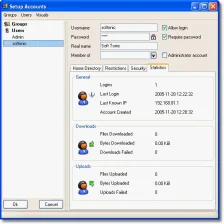
Free
Complete FTP server for sharing files
Trial version
A trial version Downloading program for Windows
Free
Windows
Windows 11
English
139K
109
Secure multi-threaded FTP Server for Windows

Mount an FTP server as a local device
Complete FTP server perfect for beginners

Web Publisher is an automated FTP client for webmasters
A native ftp server for windows 2000, 2003 and XP
Automate a number of FTP tasks

Download your files at the fastest possible speed!
.png)
Transfer and manage files within a network

FTP client with search support and multiple connections
Fast, easy, and reliable way to transfer files between computers

Highly Trusted And Very Popular FTP Server Software
Automate a number of FTP tasks
Client-server all in one chat program
Free and easy-to-use FTP Server

FTP client in the style of Windows Explorer
Complete FTP server for sharing files
.png)
Secure FTP server for Windows

A trial version Downloading program for Windows
Download your files at the fastest possible speed!

FTP server for beginners

In Softonic we scan all the files hosted on our platform to assess and avoid any potential harm for your device. Our team performs checks each time a new file is uploaded and periodically reviews files to confirm or update their status. This comprehensive process allows us to set a status for any downloadable file as follows:
It’s extremely likely that this software program is clean.
We have scanned the file and URLs associated with this software program in more than 50 of the world's leading antivirus services; no possible threat has been detected.
This software program is potentially malicious or may contain unwanted bundled software.
Based on our scan system, we have determined that these flags are possibly false positives.
It means a benign program is wrongfully flagged as malicious due to an overly broad detection signature or algorithm used in an antivirus program.
It’s highly probable this software program is malicious or contains unwanted bundled software.
Based on our scan system, we have determined that these flags are likely to be real positives.